Many businesses in Armenia still take orders on the website and then send a bank transfer request by message. It works, but every extra step loses customers. When a person can pay in the same place where they chose the product, more orders turn into money. This article explains the practical path to online payments for a small or medium business.
Where you can take payment
| Place | Good for | Typical flow |
|---|---|---|
| Online store | Many products, cart | Cart, checkout, payment, confirmation |
| Landing page | One product or service, deposits | Button, payment page, confirmation |
| Telegram bot | Repeat orders, bookings | Chat, invoice or link, payment in chat |
| Payment link | Custom orders | You send a link after agreeing the price |
You do not have to choose one. Many businesses combine a website for new customers and a Telegram bot for regular ones.
What you need before integration
- A registered business. Payment providers and banks generally work with companies or individual entrepreneurs.
- An agreement with a provider. This can be your bank's acquiring service or a payment company that works in Armenia. Compare fees, payout time and supported cards.
- A website that passes review. Providers check that customers understand what they buy.
- Someone who handles refunds and questions. Even with automation, a person should be responsible.
What the provider will look for on your website
- Clear names and prices of goods or services.
- How and when the customer receives the product or service.
- Refund and cancellation terms.
- Contact details of the business.
- A privacy policy that explains how you handle personal data.
If something is missing, the review takes longer. We prepare these pages as part of the build so the review goes smoothly.

How the integration works
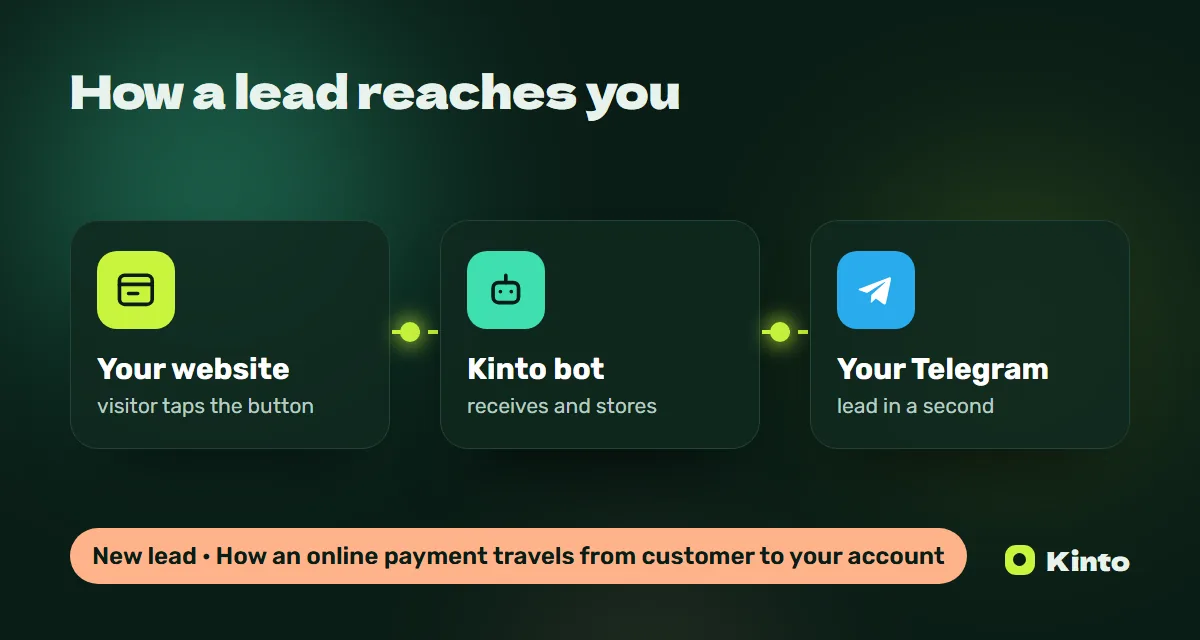
- The customer chooses a product or service and presses "Pay".
- The website or bot creates an order and sends the customer to the provider's secure payment page, or shows a payment form from the provider.
- The provider processes the card payment and returns the result.
- Your website marks the order as paid and sends a notification to your Telegram, and optionally to your CRM.
Card details are handled by the provider, not by your website. This keeps you out of the most sensitive part of security.
What happens after payment
The best setups do something useful with the payment immediately:
- A message to the owner or manager in Telegram with the order details.
- A confirmation to the customer with what happens next.
- A new deal in the CRM with the paid status. See CRM integration.
- A record for accounting.
Costs at Kinto
| What | Starting price | Starting timeline |
|---|---|---|
| Payment setup on a website or bot | $600 | 3 days |
| Online store with cart and payments | $4,000 | 22 days |
| Telegram bot for orders | $500 | 4 days |
| CRM integration | $700 | 4 days |
The provider's fees are separate and depend on your agreement with them. See the pricing page for all options.
Common mistakes
- Starting development before the provider account is ready. The code waits for weeks.
- Hidden delivery costs. Customers abandon the payment page when the total changes.
- No confirmation message. The customer is not sure the payment went through and writes to support.
- Payments not linked to orders. The team checks the bank statement by hand.
Deposits and prepayments for services
Payments are not only for shops. Service businesses often lose money on no-shows: a client books a table, a beauty procedure or a tour and does not come. A small deposit at booking reduces this. The flow is simple:
- The client chooses a date and time on the website or in a Telegram bot.
- The system asks for a deposit and shows the amount and the cancellation rules.
- After payment the booking is confirmed automatically and the manager gets a message.
Be clear about refunds. If the rules are fair and visible before payment, clients accept deposits without complaints.
Showing prices in the right currency
For local customers, prices in drams are the most natural. For tourists and international clients, dollars or euros may be easier to understand, but the actual charge usually happens in the currency agreed with your provider. Whatever you choose, show the final amount before the customer presses "Pay" and avoid surprises on the payment page.
Security basics
- The website must open with https.
- Card data is entered only on the provider's side.
- Admin access to orders is protected with strong passwords and given only to the people who need it.
- Payment notifications should be verified on the server, not trusted from the browser.
These are standard practices, and a professional integration includes them by default.
A simple way to start
If you are not ready for a full online store, start with payment links or a deposit button on a landing page. When the volume grows, move to a cart and automatic order processing. Our article about starting an online store in Armenia explains the next step.
Key takeaways
- You need a registered business, a provider agreement and a website that passes review.
- Prepare prices, delivery, refund terms, contacts and a privacy policy in advance.
- Card data stays with the provider; your website handles orders and notifications.
- Send every paid order to Telegram and, if needed, to your CRM.
- Deposits for bookings reduce no-shows when the rules are clear.
- Start simple with payment links and grow into a full store when volume grows.
Talk to us
Tell us what you sell and which provider you are considering. Write to @kinto_am on Telegram or leave a request on kinto.am. We fix the estimate in the contract before the start and reply within 15 minutes between 10:00 and 20:00.
Updated: 2026-10-12